


The perfect 27-in Mac-focused monitor for work and more [Video]
When you’re using Apple hardware, you just want things to work – to feel native and seamless – and that’s exactly what MSI had in mind with the PRO MAX 271UPXW12G monitor. Boasting a pixel-dense 4K resolution on a 27-in screen with a QD-OLED display, this MSI monitor is designed for easy macOS integ...
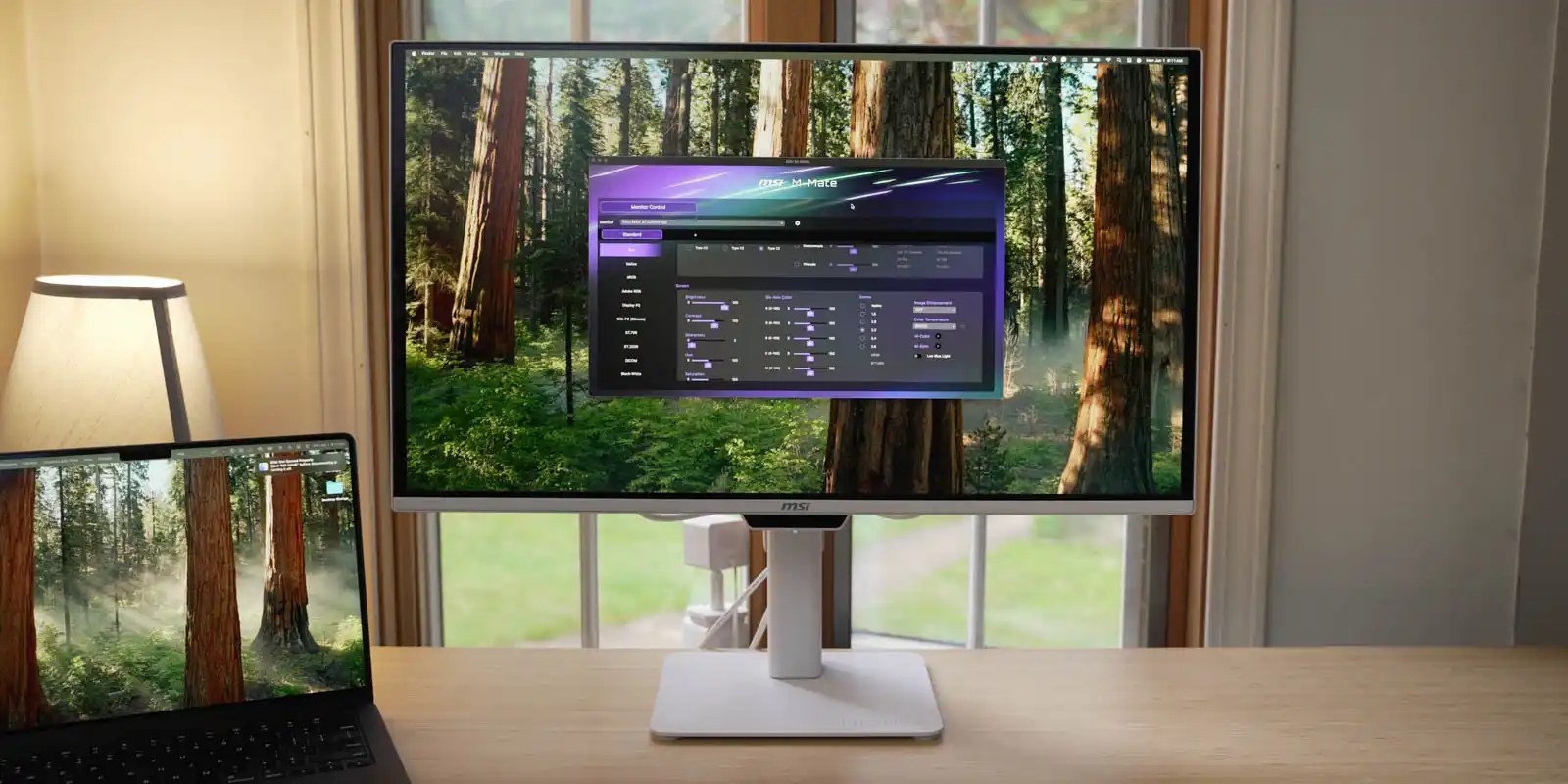
When you’re using Apple hardware, you just want things to work – to feel native and seamless – and that’s exactly what MSI had in mind with the PRO MAX 271UPXW12G monitor. Boasting a pixel-dense 4K resolution on a 27-in screen with a QD-OLED display, this MSI monitor is designed for easy macOS integration and offers a wide variety of thoughtful features. It’s a productivity-focused monitor that might actually be good for gaming as well. Be sure to check out the video below for more details.
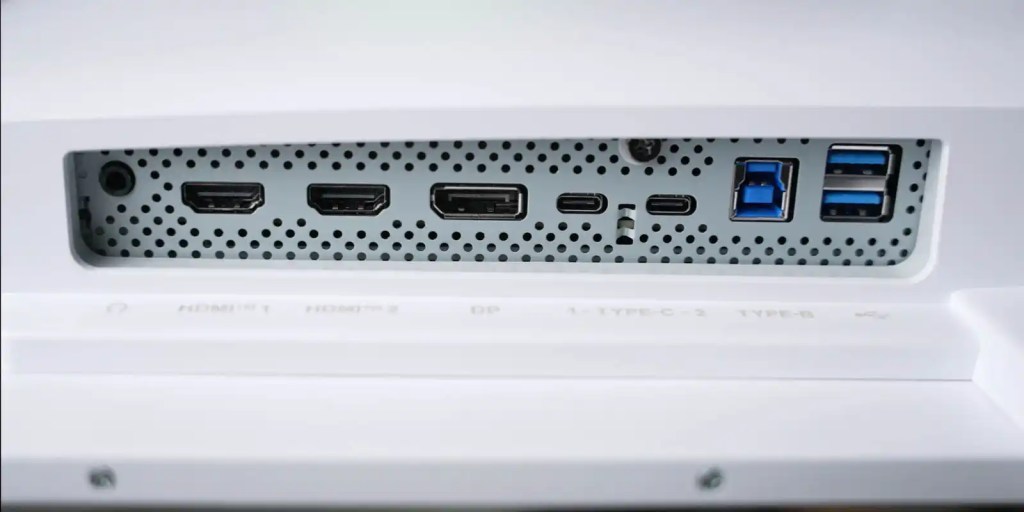
MSI PRO MAX: Design
If you’re going to create a display designed to be used with MacBooks, it’s going to need to be stylish, and the MSI PRO MAX delivers. The back of the panel may be larger than other modern monitors, but that also houses the power brick, meaning there is only a simple IEC cable to plug in.
It has a thin bezel, and the light colorway has an air of modern elegance. There’s nothing extravagant or gaudy; everything on the PRO MAX fits right in with Apple aesthetics.
On the back, there is a host of connection ports, including dual HDMI, dual USB Type-C, and DisplayPort. The USB-C connection can provide up to 98W of power for a MacBook Pro, while a 2nd USB-C connection allows for 15W to charge an iPhone or iPad.
MSI PRO MAX: Video
A simple stand makes the monitor sleek but also allows for plenty of adjustability. It can easily tilt, turn, twist, and raise to get in the right position. It will raise just enough to fit a 14-in MacBook Pro in front and under the display.
Adjusting the monitor can be accomplished with a single hand. Everything is well balanced – even moving the screen up or down. Whether it’s a main display or a vertical-oriented monitor on the side, the MSI PRO MAX has plenty of adjustability.
MSI PRO MAX: Mac-friendly modes
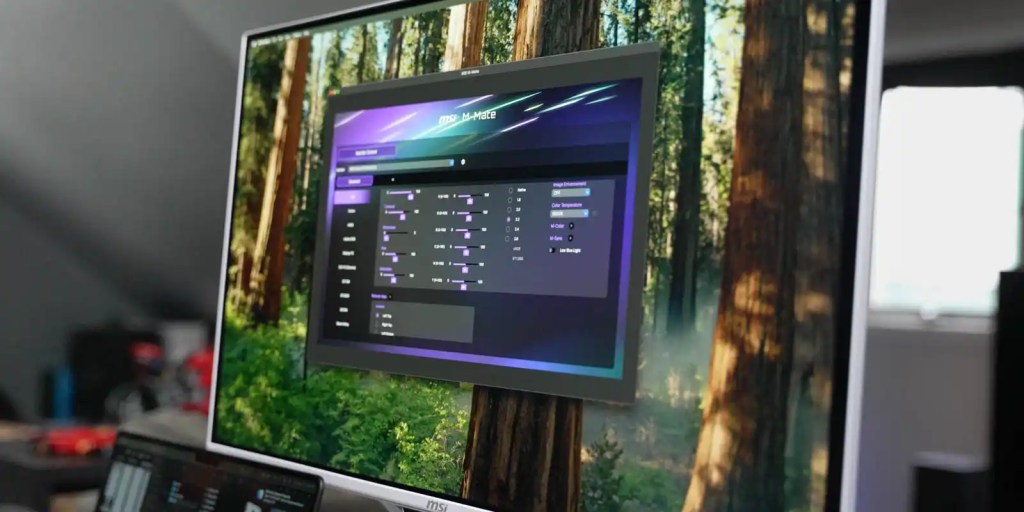
Of course, there is a standard menu control, but MSI also has an app for macOS that allows for easy customization of the monitor without fumbling with OSD buttons. If you’ve ever navigated a monitor menu without really knowing which button goes where, you’ll appreciate the ability to tweak settings with your mouse from an app, rather than maneuvering through an on-screen menu.
Two notable options in the MSI app (or OSD) are M-Color and M-Sync.
M-Color will sync the monitor’s color profile to match a connected MacBook’s display for consistent color. Creatives who are concerned about color accuracy will find this a great benefit to their workflow.
Additionally, M-Sync enables easy control of brightness and volume from your MacBook’s controls – another way the MSI PRO MAX makes Mac workflow feel seamless.
Another way MSI had creatives in mind with the PRO MAX by including composition guides built into the monitor’s OSD with options for the rule of thirds, golden ratio, diagonal lines, and more.
Despite being built specifically for Mac workflows, the variety of inputs is a perfect match for the 3-way KVM, which enables the use of the same keyboard and mouse across a Mac, iPad, and PC – great for multiplatform setups.
MSI PRO MAX: The Panel
Besides easy-to-use controls and a clean design, the panel of the PRO MAX is also feature-packed for creatives.
A 4th Gen QD-OLED panel is more efficient than previous generations and delivers crisp 4K resolution in a 27-in package. That gives it a pixel density of 166 ppi – great for Mac-style text rendering.
It’s also treated with protective and anti-glare coatings that make it a perfect fit for bright working conditions. Even when I had my video lighting aimed at the PRO MAX, the monitor was usable – something that is nearly impossible on glossy screens in bright environments.
I was impressed with the viewing angles of this panel, as well. While moving around to take pictures and video of the monitor, the monitor looked great from every angle.
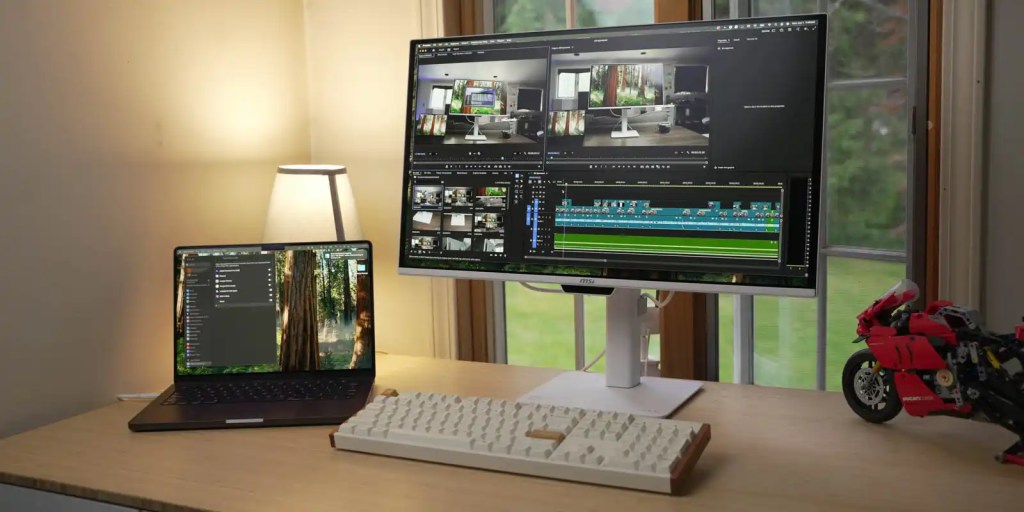
Work is great, but is it good for gaming?
One of my complaints with productivity-focused monitors is that they often don’t have good high enough refresh rates for doubling as a suitable gaming monitor – that’s not the case with the MSI PRO MAX. With 4K resolution and up to 120Hz, it’s a great option for getting work done, but it will also make your games smooth.
So if you’re looking for a do-it-all monitor with the design and Mac-focused features that will enhance your Mac workstation, check out the MSI PRO MAX 271UPXW12G.